Features
Dictation
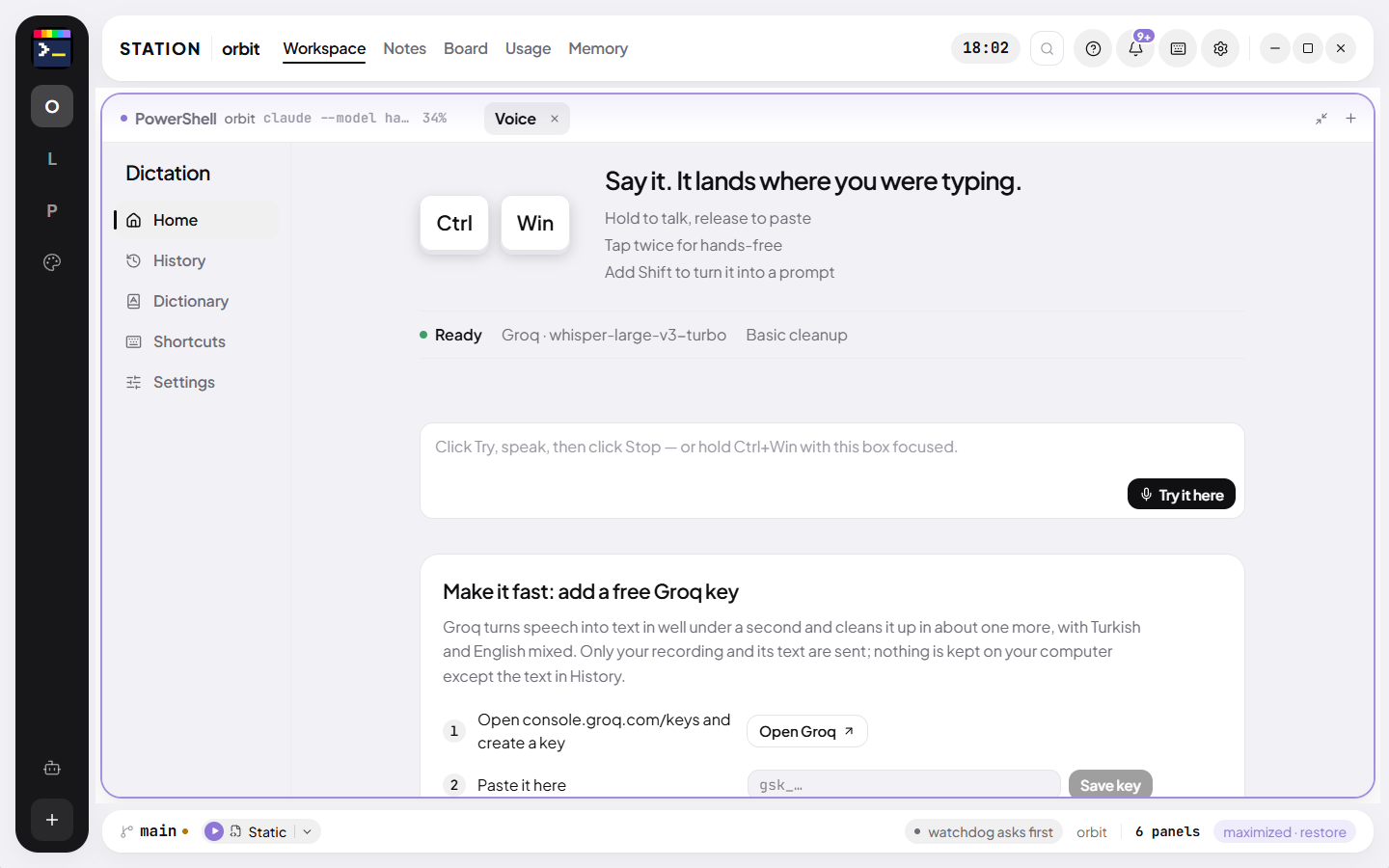
Hold Ctrl+Win in any app, speak, let go. Your words are typed where the cursor was.
Station’s dictation is system-wide. It records while you hold the keys, turns speech into text on your own CPU or through a provider you choose, cleans it up like an editor would, and pastes it into the field that had focus when you started. It never presses Enter.
- 0.9 s
- to transcribe 6.8 s of speech with the local model (Ryzen 7 5700X)
- 0 ms
- idle CPU of the key listener, not a keyboard hook
- 2 min
- per recording, hands-free or held
1/4 · Tap Ctrl+Win twice
Twice in a row goes hands-free, in any app. The pill at the bottom of the screen shows it is listening.
Recorded in Station, in a sample project · waits sped up
Three gestures
Hold Ctrl+Win for a moment and talk; let go to finish. Tap it twice to talk hands-free and tap once more to stop. Hold Shift while you speak and the words become a structured prompt instead of a sentence. Esc throws a recording away. The microphone opens on the press, so your first syllable is kept.
- Inside Station the text goes to the field with the caret or to the terminal
- In any other app it goes through the clipboard and a paste
- A floating pill shows the state (Dictation, Transcribing…, Cleaning up…, Pasted) with a live waveform
Speech to text, three ways
The local route runs whisper.cpp on the CPU, downloaded on first use: an 8 MB engine and a 181 MB model that transcribes 6.8 seconds of speech in 0.9 seconds, or a 547 MB large model for harder audio. No account, no key, no network. The hosted route speaks the OpenAI-compatible API: Groq’s whisper-large-v3-turbo, OpenAI’s gpt-4o-transcribe, or any base URL and model you give it.
Cleanup that does not rewrite you
A second pass removes filler by what it does rather than from a list (“um”, “like”, “you know”), keeps your self-corrections (“no wait, the typecheck”), adds punctuation and repairs technical words recognition gets wrong from their context. It never summarises, translates or answers; what you said is treated as text, never as an instruction. With no provider key, a fast rule-based tidy runs instead.
- A vocabulary list that steers both recognition and cleanup toward your project’s words
- Replacements: “when you hear X, write Y”
- Guards against silence and against the subtitle credits Whisper likes to invent
Private by construction
No audio is ever written to disk. History keeps the text and your speed and turns off with one switch. The key listener is a 9 KB helper compiled on your machine by the C# compiler Windows already has; it checks only the keys you configured, every 10 ms, and uses 12 MB.
Two days, every feature, no card.